HOA website templates: what every page should include
Written by: Christine Ponce
Published on: September 24, 2026
Right now, 91% of U.S. adults own a smartphone. Your residents carry that digital-first mindset straight into the community, and your website is where it meets your association. For many boards, it’s also no longer optional. For example, Florida requires HOAs with 100 or more parcels to post their governing documents, budget, financial reports, insurance policies, and meeting notices on a website or a downloadable mobile app. That’s why HOA website templates built around these requirements are a smart place to start.
HOA website requirements by state
| State | Who must have a website |
|---|---|
| Florida (HOAs) | 100 or more parcels |
| Florida (condominiums) | 25 or more units since January 1, 2026 (down from 150) |
| Texas (property owners’ associations) | 60 or more lots, or any association using a management company; post current dedicatory instruments for members |
| Nevada | 150 or more units; secure website or electronic portal |
If your state hasn’t passed a mandate yet, you’re looking at where the rules are heading. Then there’s a liability dimension. For instance, in Florida, if owners request the association records and you miss the 10-business-day window after a certified-mail request, the association is presumed to have willfully failed to comply, with minimum damages of $50 per calendar day. A website protects you because the law allows you to satisfy an owner’s records request by making the records available electronically.
That said, the different legal requirements on what to post and where to post it mean you can’t use a generic business template to create a HOA website. But don’t worry. In this guide, I will walk you through HOA website templates, and show you what every page should include.
Template, builder, or custom build? Your HOA website options
Before choosing a layout, decide how you’ll build the site:
| Option | Best for | Watch out for |
|---|---|---|
| HOA website builder | Built-in Notices area, document library, and owner login | Monthly fees; check data export |
| HOA website templates for WordPress | A volunteer who can manage updates | Plugin and security upkeep is yours |
| Free HOA website templates | Small associations testing the waters | Limits on password protection and storage |
| Condo association website template | A condo association website with extra records areas | Confirm it handles the longer condo records list |
| Custom HOA web design and HOA website development | Large or master-planned communities | Highest cost; ask for HOA experience |
Whatever you choose, strong HOA website design and condo website design put the Notices area and owner login in plain view. If you pay for hosting, compare HOA website hosting companies on uptime, security, backups, and password-protected areas.
Public pages vs. member-only pages
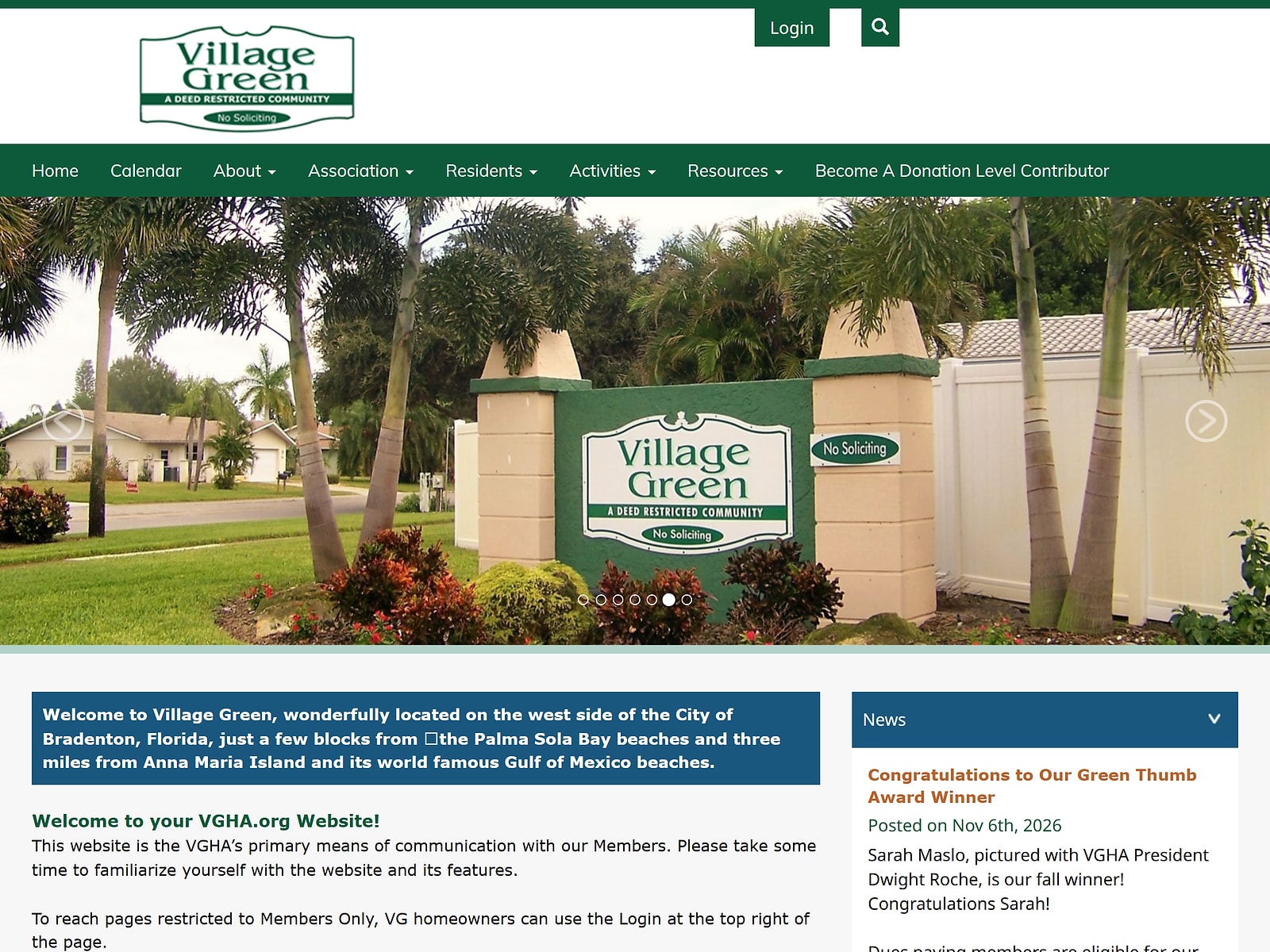
You’re building for two audiences: anyone with a link and your verified owners and residents. Public pages are for people like buyers, agents, and title companies. Member-only pages sit behind a login for approved residents, board members, and staff. Florida requires a protected location for parcel owners and association employees, and one Florida community association attorney reads the statutes as not requiring any public-facing pages at all, so the public side is partly a strategic call.
What belongs on the public side
Stick to information that’s already public, that outsiders need, or that the law expects people to find easily:
- Resale and transfer information: The Texas management certificate also discloses the fees you charge when a property changes hands. Florida goes further for condominiums. You must designate someone on your website, with a mailing or email address, to receive estoppel certificate requests. The people sending those requests are usually outsiders, like title companies, so this belongs on a public page.
- A buyer-friendly community overview: Include amenities, location, and how to reach the board, with nothing that identifies individual residents.
What belongs behind a resident login
Your HOA login portal is where this content lives. My simple rule: if something is an official record, is specific to one owner, or carries personal information, it goes behind the login.
- The official records library: Florida’s HOA statute lists the articles of incorporation, bylaws, declaration, current rules, annual budget, financial report, and insurance policies, with credentials issued when an owner asks in writing. Condominiums carry a longer list, including approved board minutes from the past 12 months, structural inspection reports, the latest Structural Integrity Reserve Study, and building permits for planned construction.
- Online ballots: Texas allows an electronic ballot on a website if you send each owner instructions for accessing it, which calls for a verified login.
- A resident directory, with care: Florida lets you distribute a directory with each owner’s name, parcel address, and phone numbers, but owners can opt out of phone listings by asking in writing.
How to password protect your site
- Sort your content first: decide what’s public and what’s member-only.
- Use a member login with individual accounts, not one shared password, so you can remove access when an owner sells.
- Verify owners before issuing credentials. In Florida, credentials are issued when an owner asks in writing.
- Turn on HTTPS, then test while logged out to confirm private files can’t be reached.
What should never be on the site
Both Florida and Texas list records owners aren’t entitled to see, and you can use that as a benchmark even if your state law isn’t clear about it. Florida’s list includes Social Security and driver’s license numbers, credit card numbers, email addresses and phone numbers, emergency contact information, and attorney-client privileged records.
Texas doesn’t require you to release an individual owner’s violation history, personal financial information (including payment records), contact details other than the address, or employee information. When a required document contains protected information, redact it before posting.
The essential pages
Homepage
Nielsen Norman Group (NN/g) calls the homepage the first, and sometimes the only, chance to win a visitor over. Considering that 52% of buyers found their home online, and 70% used a phone or tablet during the search, aim to create the best first impression with the homepage.
Lead with the community name, a plain-language tagline, and the handful of tasks residents come to do, such as reading notices, checking HOA events, or reaching the board. Then watch your speed. Google research found the odds of a visitor bouncing jump 32% when load time goes from one second to three.
That said, the homepage is also a legal checkpoint. It needs a prominent Notices area and a visible “Owner Login” button. A 2024 Florida law adds another reason, which is actually good for you. The law says you can meet your duty to give members the rules and covenants by posting a complete copy, or a direct link, on your website, as long as the site is accessible to members and you notify each member you’re using it this way.
About the community
NN/g found that visitors expect an About section to feel clear, authentic, and transparent, with realistic photos instead of stock and real people who are easy to reach. As for what to say, in the FCAR 2026 Homeowner Satisfaction Survey, residents named a safe neighborhood (21%), a clean and attractive one (20%), and maintenance-free living (13%) as the best parts of association living. Amenities like pools and tennis courts came in at just 8%. So I suggest you focus on those things that matter most, instead of just listing amenities.
Board of directors and committees
About 30-40% of communities are self-managed. Residents need to see who’s who, so put names and faces on the page. And, in fact, in some states, it’s the law. For example, a Florida HOA with 100 or more parcels must post each director’s certification: either a written statement that the director has read the governing documents or a certificate showing completion of state-approved director education.
If you’ve contracted with a community association manager or management firm, you must also post their name, contact information, hours of availability, and a summary of their duties, and report any change within 14 business days. Give each committee its own entry with its purpose, members, and how to join.
Governing documents
Governing documents consist of the articles of incorporation, bylaws, declaration of covenants, conditions, and restrictions, and any board-adopted rules. Label each one so residents know where to look. Again, this is a law in some states.
Florida HOAs with 100 or more parcels must post the articles, recorded bylaws, and declaration, each with every amendment, plus the current rules. Texas associations with 60 or more lots, or run by a management company, must post theirs for all members.
Meetings and notices: HOA meeting notice requirements
Meeting notice rules now point to the website, so this page carries real legal weight. In Florida, board meeting notices must list agenda items and be posted conspicuously in the community at least 48 hours ahead, unless there’s an emergency. Meetings on special assessments or rule changes that affect how parcels can be used require written notice at least 14 days ahead.
Since January 1, 2025, Florida HOAs with 100 or more parcels must also post the notice and agenda for member meetings at least 14 days ahead, in plain view on the homepage or on a clearly visible “Notices” subpage, and anything to be voted on or listed on the agenda must go up at least seven days before the meeting. An HOA may adopt a rule to post on its website or app, as long as it also emails members with addresses on file and includes a link.
Texas pairs the website with email: post on a members-accessible website and email every owner who has registered an address, at least 144 hours ahead for regular meetings and 72 hours ahead for special ones, with the date, time, location, subject, and connection instructions for electronic meetings.
California requires at least four days’ notice of open board meetings, and website posting counts only if your annual policy statement designates your site as a posting location. Whether your notices page must be fully public depends on your state, so check with your association’s attorney.
Then make meetings easy to join. In the 2026 survey, 66% of residents say they attend board meetings and 64% say they’d attend more often if remote options were offered. Yet 61% of communities hold in-person meetings only and just 18% offer hybrid. Put connection details on the page.
Finally, keep a record. Florida requires written minutes capturing each director’s vote or abstention on every matter. Texas requires you to keep minutes, which members can access, for at least seven years. Even if you’re in a different state, I suggest you use these laws as a benchmark and pair your meetings calendar with a searchable archive of approved minutes.
Rules and violations
According to the 2026 survey, parking (35%), noise (30%), landscaping and yard issues (29%), and pets (28%) cause the most conflict, with the appearance of a home at 17%. Your website is the obvious place to set clear expectations. Florida HOAs with 100 or more parcels must post their current rules online, and Texas requires a fine policy on any publicly accessible website you or your agent maintains.
The pattern is the same everywhere: written notice, a chance to be heard, and a written outcome. Build your page around it with a searchable rules library with effective dates, your fine schedule, a violation report form, a plain-language explanation of what happens after a notice, and a way to request a hearing. Publish the full HOA rules and regulations PDF for download, plus a one-page HOA rules PDF of the top issues, each dated so residents don’t use an old copy.
Amenities and reservations
Give each facility its hours, capacity, rules, a live availability calendar, and a way to request an accommodation.
News and calendar
In the 2026 survey, 61% of residents joined a community event or activity in the past year, 27% of them more than once, and 66% say attending makes them feel they belong. Include HOA events, announcements, an archive of past posts, an email or text sign-up where residents can update their contact details, and a “last updated” stamp on every item.
Contact page
Residents contact their board about four times a year, so your contact page should steer people to the board or the manager, whichever fits. Add an HOA contact information form (name, lot or unit number, topic, message) so requests reach the right person. Keep in mind that some states dictate what you publish. For example, Texas’s recorded management certificate must list the association’s name and mailing address, the manager’s name, address, phone, and email, and the website where your dedicatory instruments are posted.
It’s also filed with the Texas Real Estate Commission, which makes the data public, so the same details on your Contact page reveal nothing new. Keep them identical everywhere.
FAQ
An FAQ is useful, but it’s easy to get wrong. Break long lists into headed categories, and cap a list at about ten questions and group the rest under headers. Keep answers as short as you can. If an answer needs several paragraphs, it probably belongs on its own page.
So, pull questions from the real ones residents send through your contact form and service requests, like “What’s a reserve study, and do we have one?” or “Why do I need approval to paint my door?” That way, you’re offering answers to what you have proven residents ask most, not guessing on what they might ask.
If possible, link each answer to the governing document section behind it. For FAQs with a legal dimension, you can add a “last reviewed” date to the answer to avoid giving outdated answers into things that can lead to litigation. For example, you make it clear that Florida’s architectural-control statute was amended again effective July 1, 2026.
HOA website examples and ideas
Homeowners association website examples usually follow a few patterns, and the best association website examples keep the Notices area and owner login in plain view:
| Example type | Typical pages |
|---|---|
| Small self-managed HOA | Homepage, documents, contact form |
| Master-planned community | Sub-association pages, amenity reservations, news feed |
| Manager-run HOA | Manager contact details, service requests |
For HOA website ideas, borrow a new-resident welcome checklist, a “report an issue” button on every page, and an interactive amenities map.
Frequently Asked Questions
What is a website template? (with examples)
A website template is a pre-designed layout of pages, menus, and styling that you fill with your own content. Examples include WordPress themes, drag-and-drop templates from builders like Wix or Squarespace, and HOA platform sites with a built-in document library and owner login.
Where can I find HOA website templates free of charge?
Free WordPress themes and the free plans of site builders are the usual starting points. They suit small associations, but confirm they support a Notices area and member login before committing.
Are HOA rules public record?
Not in the government sense, since HOAs are private organizations. Recorded documents like the declaration appear in county records, and some states require online posting: Florida HOAs with 100 or more parcels must post current rules, and Texas requires a fine policy on any publicly accessible site.
Are HOA violations public record?
Generally no. Texas, for example, doesn‘t require you to release an individual owner’s violation history. Fines that end in a lien or lawsuit can still surface in county or court records.
Are HOA meeting minutes public record?
Usually not to the general public, but members typically have access. Texas requires minutes, which members can access, to be kept for at least seven years, and Florida condominiums post approved minutes from the past 12 months behind the login.
How long does an HOA need to keep records?
It depends on your state and the type of record. Texas, for example, requires minutes to be kept for at least seven years. Check your state statute and governing documents, and ask your attorney before discarding anything.
Final thoughts
You don’t have to build everything from scratch. Start with a HOA website template (or an HOA website builder) that already contains HOA-specific fields such as Notices area, the owner login, and the document library. Then tailor those fields to meet your state HOA website requirements. From there, add the pages that save you the most time, like service requests, amenity reservation requests, HOA events calendar and FAQ. Sort every piece of content into public or member-only as per your state requirements, redact anything personal, date everything so you don’t provide outdated info, and check your wording and deadlines against your state law and governing documents.