HOA website design best practices
Written by: Christine Ponce
Published on: September 28, 2026
An HOA website is the front door that residents and buyers see first, and the record room where governing documents, budgets, and meeting minutes live. A resident who pays every other bill from a phone will expect to pay assessments the same way.
Lawmakers are paying attention too. Some states now require HOAs to keep official records online, so design and what to post isn’t just about looks anymore. It’s how you deliver the transparency residents and the state expect. So in this guide, I’ll walk you through HOA website design best practices, showing you how to make it easy to use, accessible, secure, and compliant with state requirements. And note that the same HOA community association website design works for condo association website design.
Build a fast, easy-to-navigate, mobile-friendly layout
Layout is where good HOA web design either earns its keep or fails. In fact, Nielsen Norman Group found that the first 10 seconds decide whether a visitor stays, and that people read only about a quarter of the text on the pages they open. So the arrangement does most of the talking: what sits at the top, how your menu is worded, how it behaves on a phone, and how quickly it loads. Here are five best practices to build around.
Homepage essentials: what makes a great website homepage
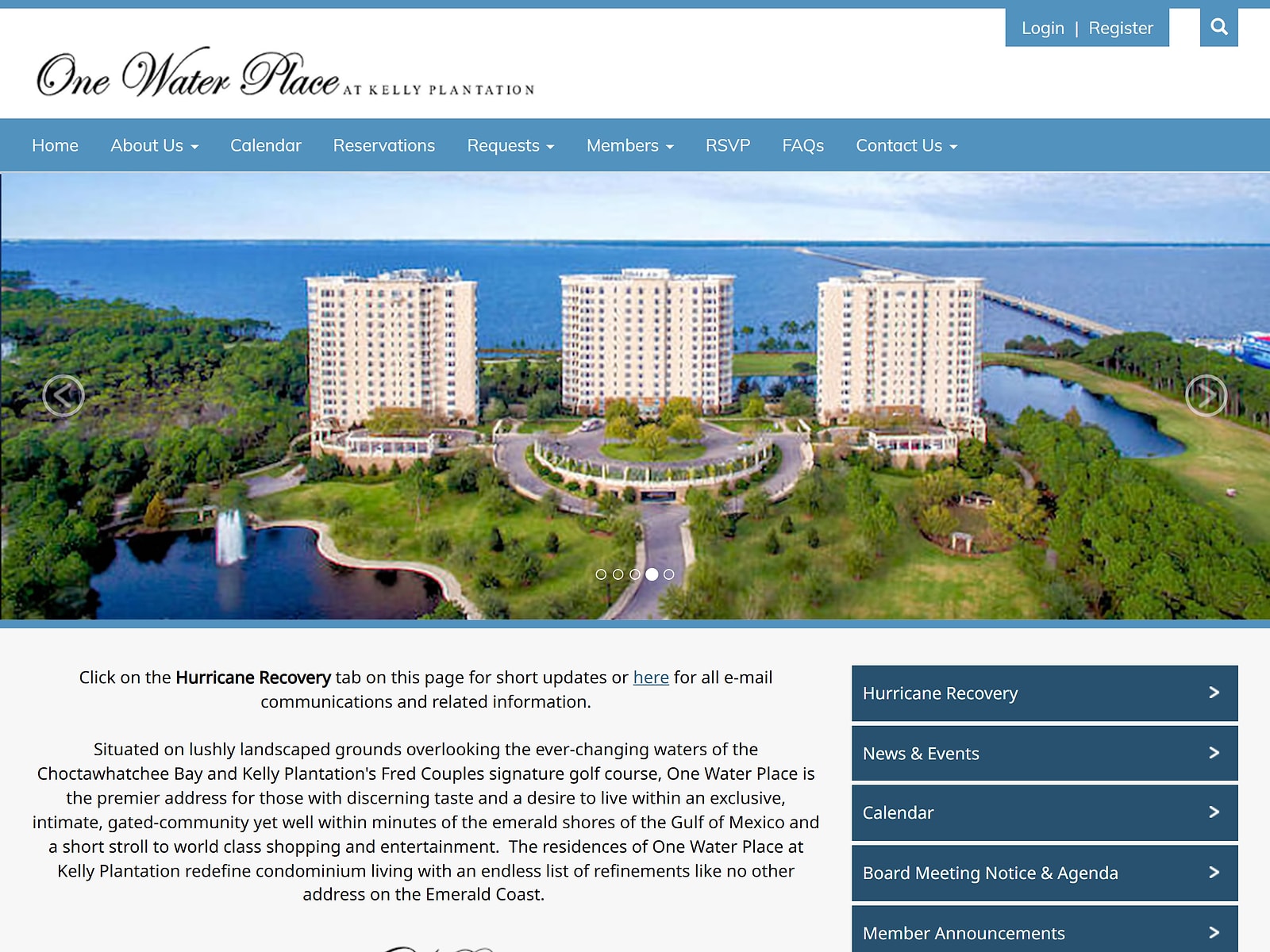
Think of your homepage as a dashboard for the tasks residents show up to do, not a brochure. The top of the page matters most. People spend about 57% of their viewing time above the fold and 74% within the first two screens. So put the big four where nobody has to scroll: pay an assessment, open documents, check the next meeting, and contact the manager. When you review HOA website examples, check whether these four are visible without scrolling. Then add this navigation:
- A “Recent Updates” block to keep the homepage feeling alive without extra effort.
- A visible contact block (Florida’s 2024 HOA law requires community association managers to give members a contact person, contact details, and hours of availability, so we use it as a benchmark).
- The resident login in the header, where people expect to find it.
Resident-friendly navigation
As you build your menu, organize it around the questions residents ask, not around how your board is structured, and you should keep it visible. In Nielsen Norman Group’s testing with 179 participants, hiding the main navigation cut content discoverability by more than 20%, and tasks took at least 39% longer on desktop and 15% longer on mobile. On phones, the same research suggests showing links directly when you have four or fewer top-level items, and tucking them into a menu only when you have more.
Wording matters just as much. Stick with clear, familiar labels and skip the board jargon. For example, things like “Pay Assessment,” “Documents,” “Meetings & Notices,” “Report an Issue,” and “Contact” are labels people recognize. Keep your public pages, like About and Amenities, clearly separate from the owner portal.
Then check for orientation. You don’t want visitors to land on an inner page instead of your homepage, so make sure they can tell where they are. Keep dropdowns to two tiers, and open submenus on click rather than hover, since touchscreen and keyboard users can’t hover.
Branding, photos, and readability
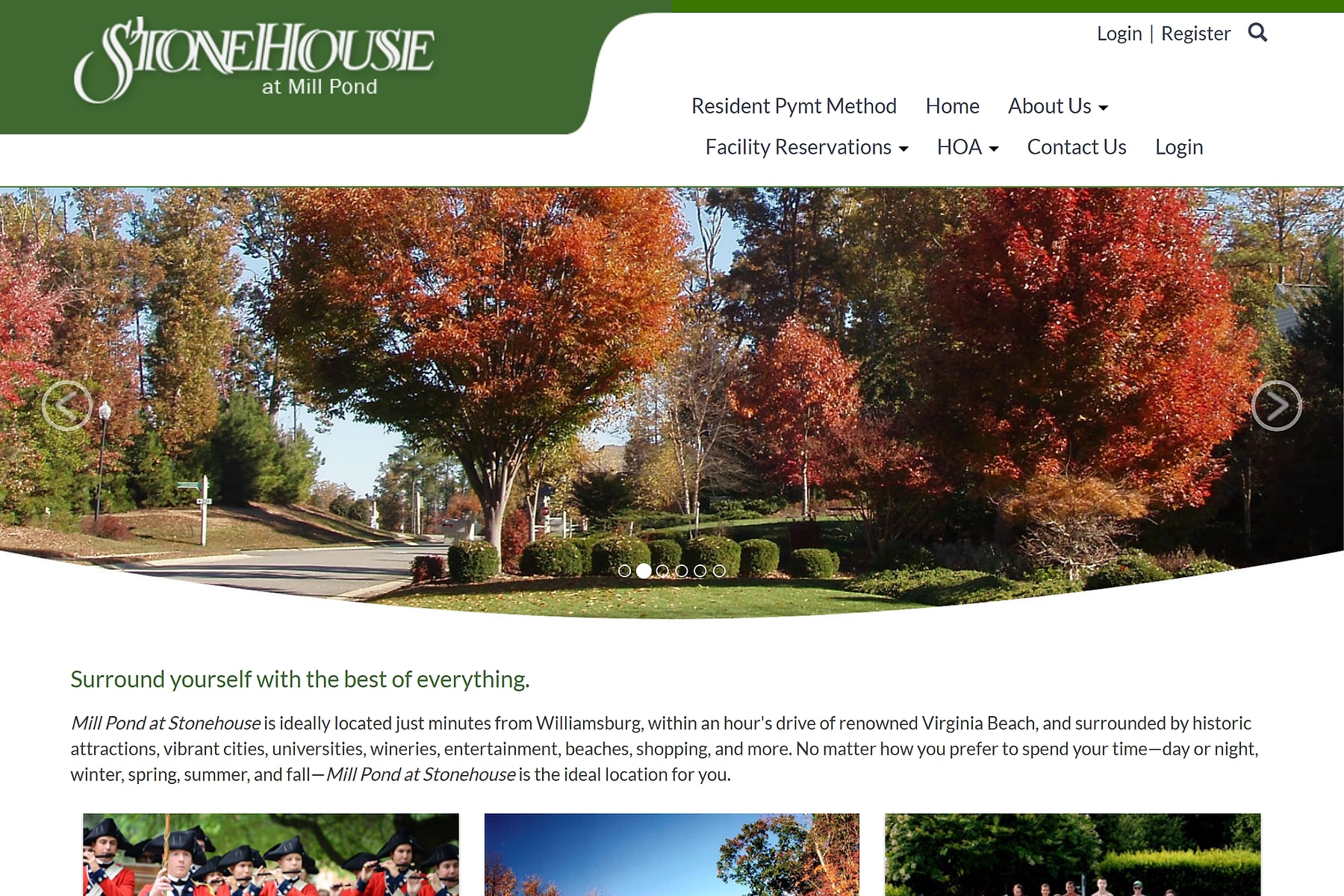
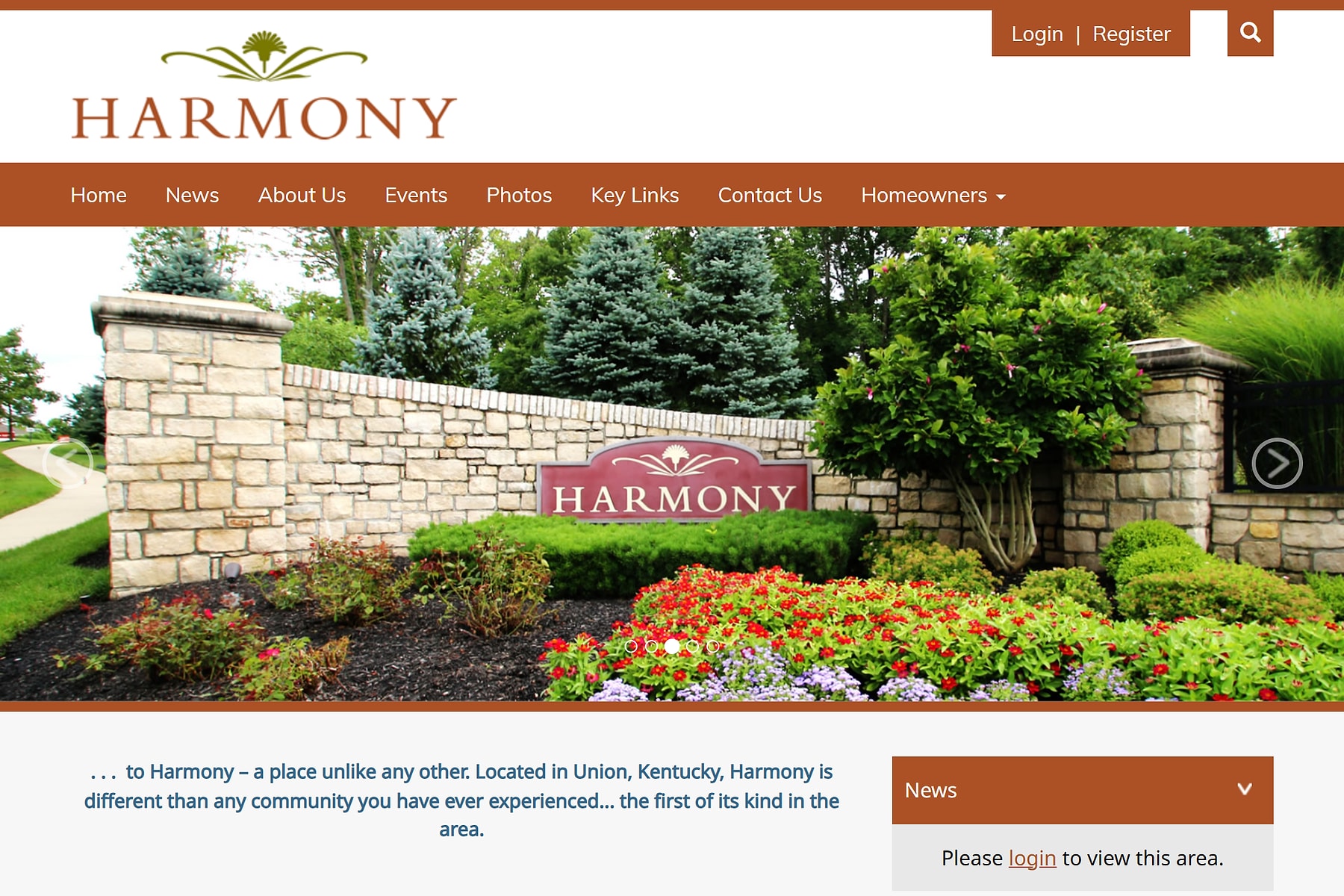
Design is how residents decide whether to trust your site with their records and their money. In Stanford’s web credibility research, “design and look” was the factor people cited most when judging a site, at 46.1%, well ahead of information structure at 28.5%. So put your community’s name, logo, and a small, consistent color palette on every page, including the login and payment screens. That way residents know they’re in the right place. Strong HOA website designs look and feel like the community they serve, not like a generic HOA website template.
Then choose your photos carefully. People skip generic stock photos of models but pay attention to real people and images. Photos of your own entrance, pool, clubhouse, and board will serve you better than smiling strangers.
Readability has a technical side and an editorial side. Technically, WCAG calls for a contrast ratio of at least 4.5:1 between body text and its background, or 3:1 for large text (18 point, or 14 point bold). Editorially, the share of U.S. adults at or below the lowest literacy level rose from 19% in 2017 to 28% in 2023. So write rules, notices, and payment instructions in short sentences with plain words, and put the key point before the legal detail.
Mobile-friendly design
16% of U.S. adults rely on a smartphone as their only way online, with no home broadband. That means for a good share of your neighbors, your website is a phone screen and nothing else. That said, you design for phones, but not only phones.
StatCounter’s August 2026 data put mobile at about 42% of U.S. web traffic, with desktop above 55%. So mobile-first shouldn’t become mobile-only. A board member reviewing the budget on a laptop and a resident paying dues from a phone use the same site, so your layout has to serve both.
Also, phones demand more effort, so trim key flows, like paying or finding a document, down to as few taps as possible. WCAG 2.2 sets a 24 by 24 CSS pixel minimum for tappable controls and suggests aiming for 44 by 44 on the important ones, which helps anyone using one hand or riding in a moving car.
Here is a mobile friendly website example: a resident taps “Pay Assessment” on the phone homepage and finishes in a few taps, with no pinching or zooming. A responsive website grid makes that possible by reflowing a multi-column laptop layout into one column.
Fast load speed
Google’s Core Web Vitals call for main content to load within 2.5 seconds, pages to respond to input within 200 milliseconds, and layout shifts to stay at or below 0.1. Slow pages cost you visitors. Google and SOASTA research found that 53% of mobile visits are abandoned when a page takes longer than three seconds to load.
On HOA sites, heavy photos and add-ons are usually to blame. So compress your photos before you upload them, set width and height on images so the layout doesn’t jump around, and trim unneeded scripts and outdated tracking tags.
Build in state HOA website requirements
As I said, your design choices aren’t purely a matter of taste anymore. In a growing number of states, the law shapes what your website has to contain, who gets to see it, and how it handles residents’ personal information. So build around those rules. And here are some of them:
Document organization
Some states spell out exactly what goes online and where it lives. Florida HOAs with 100 or more parcels have been required since January 1, 2025, to keep downloadable copies of specified official records on a website or app. Condominium associations with 25 or more units picked up a similar rule on January 1, 2026.
The list includes the articles of incorporation, bylaws, declaration of covenants, current rules, annual budget, financial report, insurance policies, director certifications, and a list of current contracts. The statute even handles placement, which is very important in our case. A members’ meeting notice and agenda must sit in plain view on the homepage or on a clearly linked “Notices” subpage. Other states ask for different mixes:
- Nevada: Associations with 150 or more units must maintain a secure website or portal covering governing documents, the annual budget plus any proposed budgets, and notices and agendas for upcoming meetings.
- Texas: Subdivisions of 60 or more lots, or any association that has hired a management company, must post current recorded governing documents where members can reach them. Texas also adds a version-control wrinkle: the site must carry the current version of documents filed in the county deed records, so old amendments can’t count as the “official” copy.
- Utah: Associations with an active website must post governing documents, the latest annual budget, and the latest financial statement, among other items, at no charge to owners.
- Wisconsin: Condo associations with 100 or more units must post a current copy of every record owners are entitled to inspect.
If your state has no website rule, I suggest you still use this as your checklist, and treat it as your starting folder structure.
Permissions
Most of these state laws don’t ask for a fully public website. They ask for a protected one. Florida requires a section closed to the general public and open only to parcel owners and association employees, and an owner who asks in writing must receive a username and password. Wisconsin’s condo law uses nearly identical language, and Nevada says the portal must be secure and open to any unit owner.
Also, the law limits what owners themselves can see. Texas doesn’t require you to release an individual owner’s violation history, personal financial information, or contact details beyond their address. Florida goes further, and lists records owners can’t access at all, including attorney-client privileged material, personnel and medical records, and the passwords and other security measures protecting your data. So to avoid issues, I suggest you set up three access layers:
- A public layer that anyone with the link can view.
- An owner-only layer for the records members are entitled to.
- A board-and-manager layer for everything that shouldn’t reach general owners.
Data protection
Uploaded documents are the most common place for personal information to leak. So before anything goes live, do a quick scrub. Open each file and look for signatures, account numbers, and owner contact details tucked into attachments or sign-in sheets, and train whoever uploads to do the same.
On the money side, Nevada requires the payment processor and the association to meet NRS 603A standards for protecting personal information. So if you are integrating your website with a payment processor, confirm how they safeguard resident data.
Build in HOA ADA compliance
About one in four U.S. adults has some type of disability, so accessibility is a resident satisfaction matter before it’s a legal one. That’s why website accessibility is important beyond legal risk, and why it belongs among HOA website design best practices: a resident who can’t read a notice or submit a payment on your site isn’t being served. That said, the ADA doesn’t directly apply to most HOAs. Its public accommodation rules cover businesses and facilities open to the public, and apartments and condominiums aren’t in that category.
But that changes the moment you open something to outsiders. A common area available to the general public, even for the occasional event, can bring the ADA into play. If your association advertises unit rentals online, don’t overlook the website either.
The Fair Housing Act, on the other hand, reaches every association. It bars you from refusing reasonable accommodations in rules, policies, practices, or services when someone with a disability needs them to enjoy their home equally. It’s hard to tell whether a specific website feature counts as a “service,” though.
So to be on the safe side, make the website ADA compliant. DOJ’s business guidance gives this starting list: color contrast, text alternatives for images, captions for audio, labeled forms, keyboard navigation, and a way to report accessibility problems. Test against WCAG 2.1 Level AA, the most widely used of the ADA website compliance standards.
Add features that make your site self-service
A site can look polished but not really useful if all it does is hold documents. Make it a self-service portal where a homeowner can finish what they came to do. The best HOA website ideas start with the tasks residents repeat most. When the Federal Reserve Board rebuilt its Inside the Board site around the top tasks its audience needed to complete, task completion jumped from 58% to more than 90%.
Now, nearly every resident contact comes down to paying, asking for something, booking something, or finding out when something is happening. Add these features to resolve that:
Online payments: your HOA payment portal
When you ask owners to mail a check, you’re asking them to use something they’ve dropped everywhere else. An Atlanta Fed analysis found that more than 90% of consumers prefer something other than a check for paying bills. Between 2020 and 2024, the share of bills paid by check fell 12 percentage points, to 7%, and consumers now pay half their bills electronically from a bank account, up from 44%.
And you’ll also feel that shift on the receiving end. Every check comes with three waits: time in the mail, time to process and deposit it, and time before the funds are usable. Electronic payments skip all three. In AFP’s benchmarking survey, the median cost of receiving a paper check was $1.01 to $2.00, versus 26 to 50 cents for an ACH payment. Checks are also riskier, with 63% of organizations in AFP’s 2025 survey reporting attempted or actual check fraud in 2024. Online assessment collection through an HOA payment portal solves all that.
Amenity reservations
A pool, clubhouse, or tennis court is a shared resource, and a live availability calendar is the simplest way to stop double-bookings. And you can use the reservation form to enforce rules. For example, a clubhouse form can require the reserving owner to be current on assessments and present at the event, with the deposit refunded after an inspection.
Community calendar: HOA events and meetings
A calendar turns your website from a place residents visit when something’s wrong into a place they check. List HOA events such as socials, board meetings, and amenity closures in one place. In the Foundation’s 2026 survey, 61% of residents joined a community social event in the past year, and two-thirds said attending makes them feel they belong. An HOA event calendar is one of the cheapest ways you can encourage that connection.
In that same survey, 64% of residents said they’d attend meetings more often if remote options were available. So put your meeting date, agenda, and the join link in the community calendar.
Keep it current
Stanford’s Web Credibility guidelines say people trust sites more when they can see they’ve been recently updated or reviewed. For your HOA, staleness has a more serious cost, such as an expired meeting date, a retired vendor’s phone number, or last year’s budget sitting where this year’s should be. That said, you have to decide who runs the show. For example, the person who understands the website today may be off the board in three years. So, here are a few things to consider:
Who updates what, and how often
As you divide the work, match each type of content to a role instead of a person, so the duty survives the next election. Also, don’t pile everything on the board. In fact, in that same 2026 survey, 44% said time demands affect whether directors keep serving, and 24% reported a technology and communications skills gap. And this brings us to this question:
DIY vs. managed website
Forget “which is cheaper” for a moment. The better question is who’s on the hook when something goes stale or breaks. Florida’s statute is a handy model because it accepts both routes: an independent site wholly owned and operated by the association, or one run by a third-party provider, as long as it has a username-and-password area open only to owners and employees. That said, DIY usually means a general-purpose HOA website builder, while the managed route means HOA website software or one of the HOA website platforms built for associations. A third option is custom HOA website development, which costs more. Consider these four factors when deciding:
- Capacity: DIY runs on a volunteer’s time and skills, and the numbers above show both are scarce. You may already have help, since 64% of associations employ a community manager. But Florida attorneys advise confirming that your management contract actually requires the manager to update the site, and that they have enough monthly hours to hit the posting deadlines.
- Security: A DIY site is only as safe as its upkeep. If DIY means self-hosted WordPress, Patchstack counted 11,334 new vulnerabilities in that ecosystem in 2025, up 42% from the year before, and roughly half of the high-impact ones were exploited within 24 hours. A self-hosted site needs someone who applies updates fast and is still around in three years. Hosted and managed options move that job to the provider.
- Control and exit: Whichever way you go, the association should be able to walk away. Florida requires a manager to return association records within 20 business days after termination or a written request, and attorneys question whether that’s enough time to repost everything to a new site, and who would do it. The same logic applies to your domain name. Register it to the association with a role-based email address, not a former volunteer’s personal inbox. Also ask which HOA website host stores your files and how you can export them if you switch.
- Legal pressure: Where posting deadlines, password-protected areas, and redaction are legal duties, your site has to meet all of them reliably. A managed or vendor-hosted platform usually makes that easier.
Frequently Asked Questions
How much website design cost should an HOA expect?
It depends whether you go through the general website builder or DIY route, HOA website software route or the custom development route. General website builder or DIY is the cheapest, and usually the worst in meeting HOA website requirements. Custom development from a HOA website builder gives you the best value for money.
What makes a high quality website for an HOA?
It loads fast, works well on phones, and puts pay, documents, meetings, and contact on the homepage. It also meets accessibility standards, keeps private records behind owner logins, and stays up to date.
What does ADA website compliance apply to?
ADA website compliance applies to state and local governments under Title II and to businesses open to the public under Title III. Most private HOAs aren’t directly covered, but an amenity open to the public or advertised rentals can change that.
What is the ADA website compliance deadline?
No federal deadline applies to a private HOA website. DOJ’s dates cover state and local governments: April 26, 2027 for populations of 50,000 or more, and April 26, 2028 for smaller entities, after an April 2026 extension.
Are there ADA website compliance exemptions?
The ADA exempts private clubs and religious organizations from its public accommodation rules, but the exemptions are narrow. An HOA shouldn’t assume it qualifies, so confirm with your association’s attorney.
Does the Fair Housing Act apply to a homeowners association?
Yes. HOAs and condo associations are housing providers, so their rules, policies, practices, and services can’t refuse reasonable accommodations for residents with disabilities. The law doesn’t set website standards, but an accessible site helps you meet those duties.
Who does the Fair Housing Act apply to?
It applies to housing providers, including landlords, property managers, HOAs and condo associations, lenders, and real estate agents. Limited exemptions exist, such as small owner-occupied buildings with four or fewer units.
Final thoughts
A good HOA website is a tool for finishing tasks, not a digital filing cabinet. As you apply these HOA website design best practices, keep three questions in front of you. Can a resident on a phone find what they need in seconds? Does the site meet your state’s rules for what’s posted, who sees it, and how personal data is handled? And will it still be accurate three board elections from now? And to hit all that reliably, I suggest you get the site built by a platform familiar with HOA websites.