15 HOA website examples worth copying

{get_the_title()}

15 HOA website examples worth copying

Written by: Christine Ponce

Published on: September 10, 2026

Roughly 373,000 community associations operate in the U.S. today, housing about 78.1 million residents, more than a third of the country’s housing stock. And the number is projected to reach 377,000 associations and nearly 80 million residents by the end of 2026. Those residents already bank and shop online. In fact, the American Bankers Association’s 2025 survey found that 77% of people would rather manage money digitally than talk to a person, and 96% rated their digital banking experience positively.

These residents expect the same kind of digital experience when dealing with their HOAs. And state legislatures are also catching up, at least on disclosure. Florida has required HOAs with 100 or more parcels to maintain a website or app posting official records since January 1, 2025. And from January 1, 2026, that law extends to condo associations with 25 or more units. Texas sets its threshold at 60 lots. Nevada and Wisconsin have their own size-triggered versions. None of these laws care about layout or load speed, only whether a homeowner can find the budget, the bylaws, and meeting minutes on an HOA website.

On the management side, one legal review estimated that tracking down a single record, like meeting minutes or an insurance certificate, eats up roughly 18 minutes of staff time per request, multiplied across every owner asking that month. At the same time, 92% of owners want to solve problems themselves before calling. That means even if you manage to handle these requests manually, residents are never satisfied. A site that answers what owners ask most, like pool hours or a CC&Rs copy, means your board hears from owners only when something needs human judgment.

That said, not all HOA websites pay off, and let me show you why. 75% of people judge the credibility of an organization based on the design of their website, and that judgment happens in around 0.05 seconds of opening the site. So, as you move forward to get your HOA website and take advantage of the management, transparency, compliance, and resident satisfaction benefits I have talked about, you need to make sure you get a design that creates a positive image of your HOA. And for that, I have pulled for you 15 HOA website examples worth copying.  

1. Village Green of Bradenton
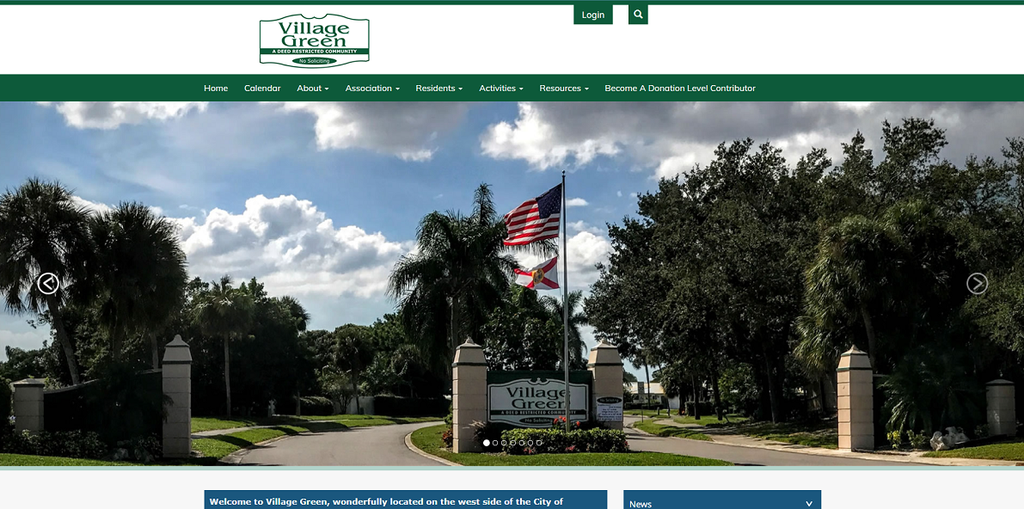
Village Green of Bradenton sits west of downtown Bradenton, Florida, toward the Anna Maria Island beaches, and its homepage is actually alive. Instead of a static landing page, visitors get a running, dated feed covering an annual meeting wrap-up, the pet-waste policy, dues instructions, and a request for flower-bed volunteers. VGHA also moved every event and activity off Nextdoor and onto its own site, purely to get real calendar and event-registration functionality a social feed doesn’t offer.

The financial pages go further than most sites here. If you pay dues online, the processing fee is waived. There’s also a dedicated estoppel contacts page, useful for real estate agents and title companies who need those documents fast.

2. One Water Place
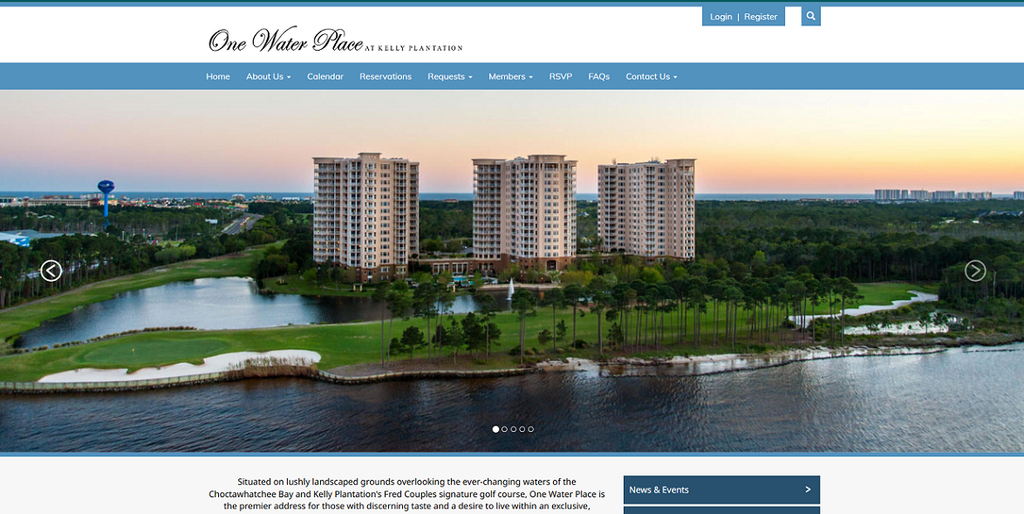
One Water Place is a gated bayfront condo community inside the Kelly Plantation development on Choctawhatchee Bay in Destin, Florida. This community’s website pushes self-service further than any other site on this list. Instead of one all-purpose contact box, it offers close to a dozen separate request forms, covering HVAC installs, maintenance, pet registration, delivery scheduling, unit modifications, move-in and move-out notices, and parking or storage transfers.

Two forms show the site was built around this specific property. Kayak and bike registration only makes sense when a board knows residents store watercraft on-site, and the Hurricane Help form lets a resident submit a real request during a storm rather than just read a static checklist. Ask whoever fields resident questions which requests come in on repeat, and turn each into its own form. It cuts back-and-forth and leaves a timestamped record of who asked for what. The homepage also names what’s waiting inside, like News & Events and the calendar, without displaying any of it to visitors who haven’t logged in.

3. Harmony
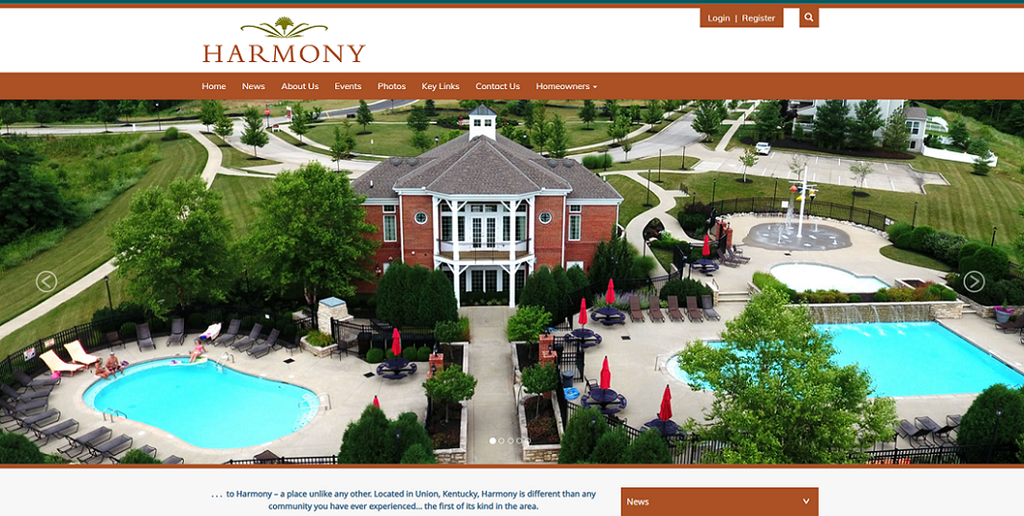
Harmony is a community in Union, Kentucky, split into four sections: Ascent, Patio, Master, and Condo, run by two different management companies: Towne Properties handles Ascent, Patio, and Master, while Vertex Professional Group runs Condo. Separate Master Board, Master Documents, and Condo Board pages keep them straight, so no one has to guess whose minutes they’re looking at.

You don’t need two management companies to land in this same spot. A master HOA with sub-associations, or a separate condo regime sharing the property, works the same way. But if you copy Harmony’s website and build your navigation to match your actual governance, residents won’t be digging through the wrong board’s files for their own documents.

Harmony also includes a dedicated Snow Policy page, useful in a Kentucky winter. Something I also like is the homepage. When you’re logged out, the welcome copy is generic enough to belong to any HOA in the country. But when you log in, you find real news and events.

4. Mill Pond at Stonehouse
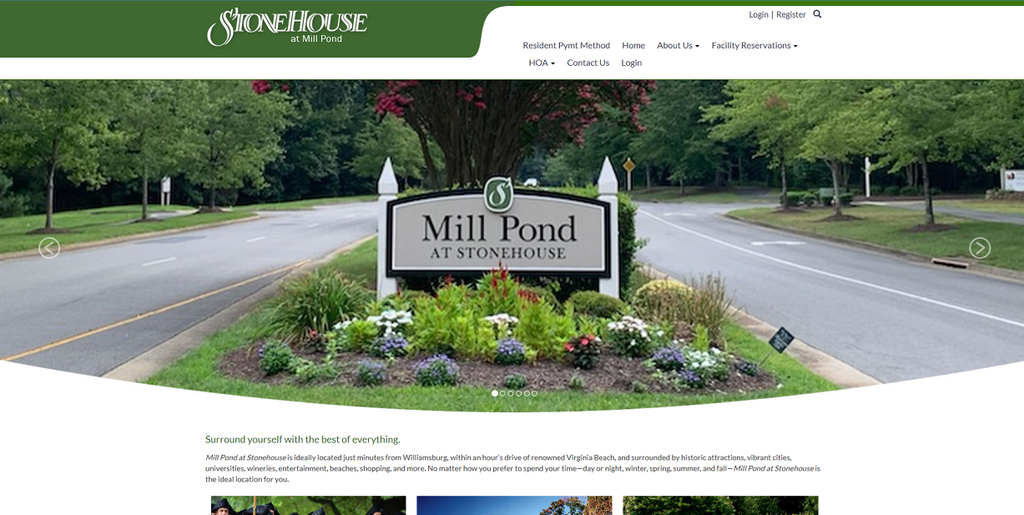
Mill Pond at Stonehouse is a golf-course community in Toano, Virginia, just outside Williamsburg. Their website skips the generic cul-de-sac photo most HOA homepages open with. Stonehouse Golf Club and the on-site Virginia Grill anchor the homepage instead, since that course is what most neighborhoods in the area are built around. If a golf course, marina, lake, or clubhouse genuinely sells your community, put it where a first-time visitor sees it first.

Other than that, the real strength is how much a resident can get done without calling. The Facility Reservations section lets residents submit real online requests for the clubhouse or for boat and RV storage, not something printed out and mailed in.  A search bar in the header helps too, since the HOA menu alone carries eleven pages plus a dedicated FAQs & Tutorials page.

The footer adds one more good touch, stating plainly what the board is there to do: protect property values, maintain the community’s appearance, look out for owners’ interests, and run finances in the open.

5. Birnamwood Town Homes
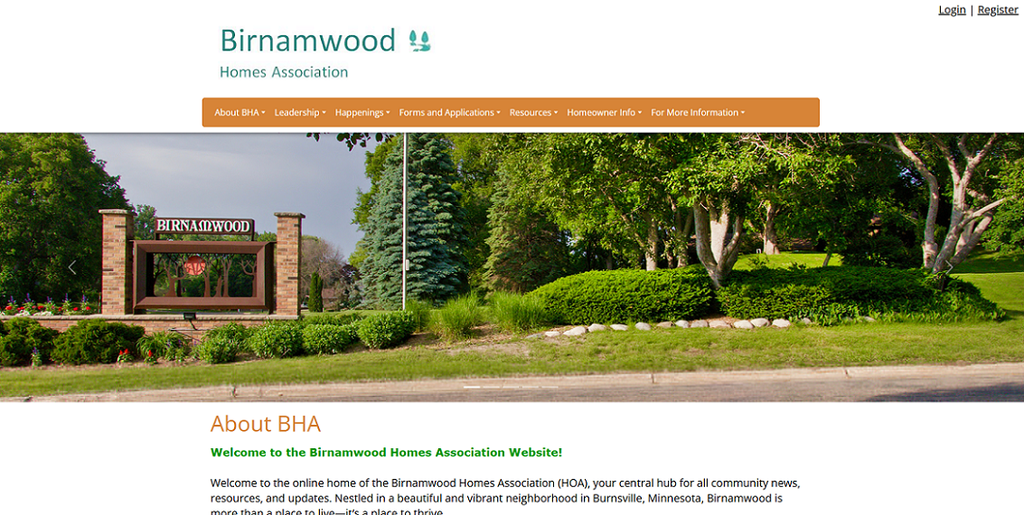
Birnamwood Town Homes sits across from a public nine-hole golf course in Burnsville, Minnesota, and its site is the most document-heavy here, fitting how the board works. The Birnamwood Homes Association runs on standing committees: Architectural Control, Facilities, Grounds, Homes Maintenance, and a Welcome Committee, and the site mirrors that with a dedicated page for each. If your association leans on committees, that structure is worth copying, since it tells every volunteer exactly who’s responsible for what.

The forms library covers parking permits, a landscaping modification request, an ACC repair request, a satellite dish agreement, and an ACH form for automatic payments. Every form carries a visible date, so a resident never fills out one quietly replaced eighteen months ago.

The standout is a plain-language memo on HO-6 condo insurance, covering what an owner’s own policy needs to cover once the master policy stops. Most associations only explain this after it’s caused a fight. Birnamwood puts it out in advance instead.

6. Summer Place
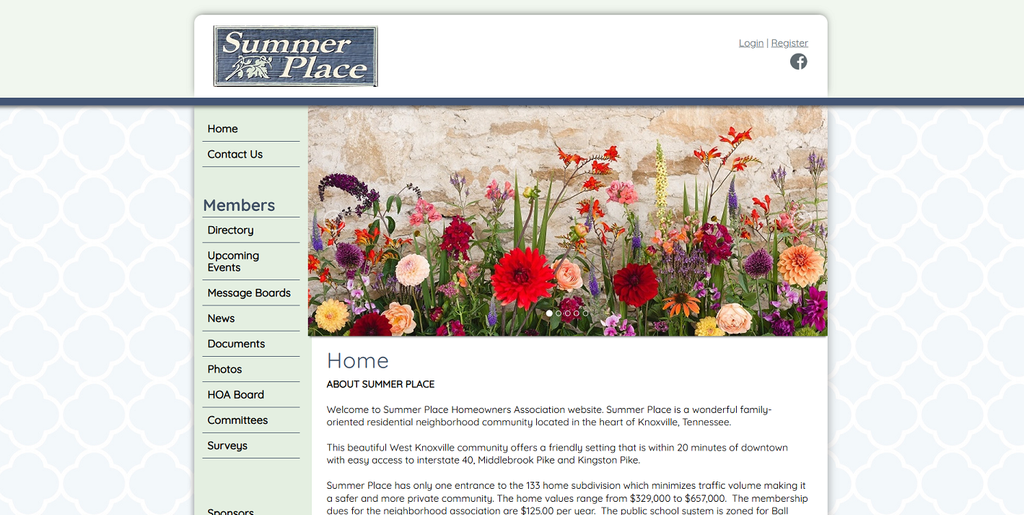
Summer Place is a 133-home neighborhood in West Knoxville, Tennessee. The community seems to miss a property management company. And considering that dues run $125 a year, remarkably low, it’s a signal towards a volunteer-run board with no management company or big management platform behind it. And that’s proof that budget isn’t a legitimate excuse for a site to look outdated.

The site is built for two-way conversation instead of one-way announcements, since there’s no office fielding day-to-day questions. Navigation leads with a resident directory, message boards, and a surveys section, plus a link to the neighborhood’s private Facebook group and an email sign-up for anyone who isn’t on it.

Most of the sensitive information is actually locked behind a login page, which is something I like. The homepage also doubles as a neighborhood fact sheet, with local home values right on the front page, plus the detail that the subdivision has one entrance and which schools it’s zoned into, information a buyer’s agent would otherwise track a board member down for.

7. Weatherstone Highlands Ranch HOA
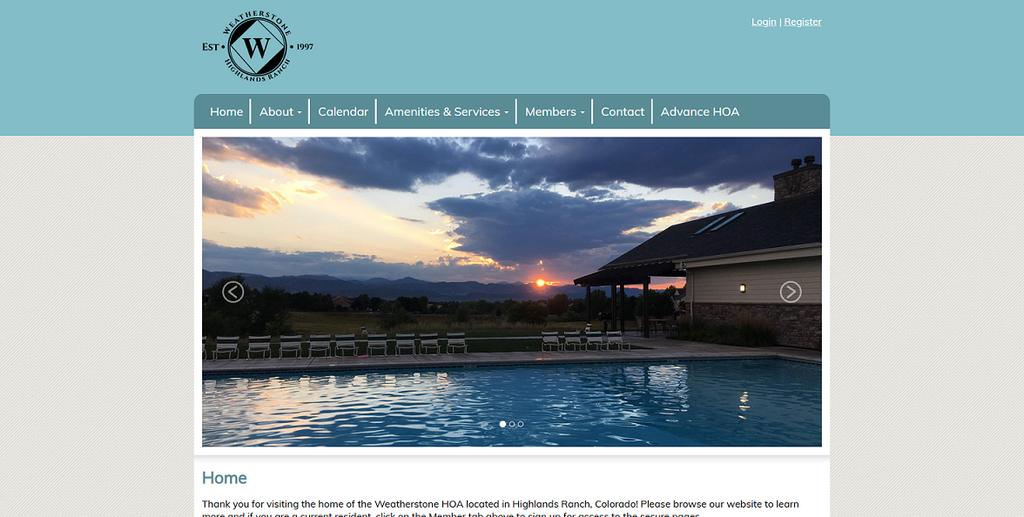
Weatherstone HOA in Highlands Ranch, Colorado, runs one of the more consistently active blogs on any community site. Nearly three years of posts cover Emerald Ash Borer warnings, pool opening dates, a garage sale, an Easter egg hunt, a Turkey Trot and hayride, holiday lights, and yard-waste pickup reminders, a running log of the year, not a News tab propped up with two stale posts. 

The homepage also surfaces the next trash and recycling collection, exact date and time, instead of leaving residents to dig through a PDF. Landscaping and Snow Removal each get a dedicated page under Amenities & Services, reframing maintenance as a visible benefit of paying dues. There’s also a standing Block Captains program, volunteers assigned to specific streets who liaise between residents and the board.

8. Summerfield HOA
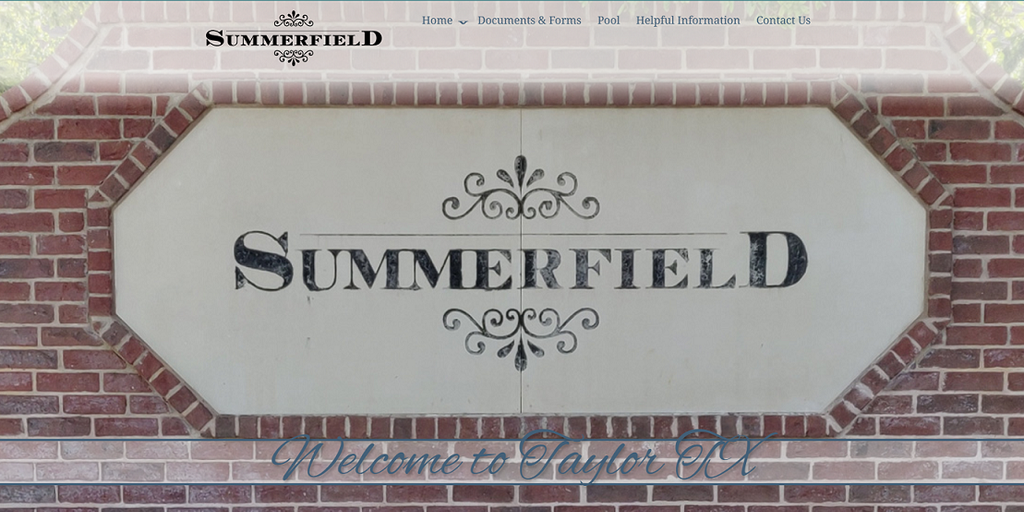
Summerfield HOA in Taylor, Texas, makes a point that trips up a lot of boards: your public website and the platform residents use to pay dues don’t have to be the same system. Summerfield’s site covers the information side (documents, meeting dates, and fee schedules). A separate platform, Smartwebs, handles payments and requests. Annual dues are $649, due every March, with a linked guide for paying online through the separate platform. 

The resale certificate page spells out the transfer fee: 0.3% of the sale price split evenly between buyer and seller, plus a flat $375 certificate fee, useful when a title company needs the number fast. Architectural requests split into two paths, one for homeowners through the resident portal and one for contractors.

A few smaller details round it out: a pool access card program with its own waiver, an anonymous violation-reporting form, and meeting dates for the coming year posted well in advance, with public comment capped at three minutes per homeowner. The site also names every board member and flags open committee seats.

9. SunCrest Owners Association
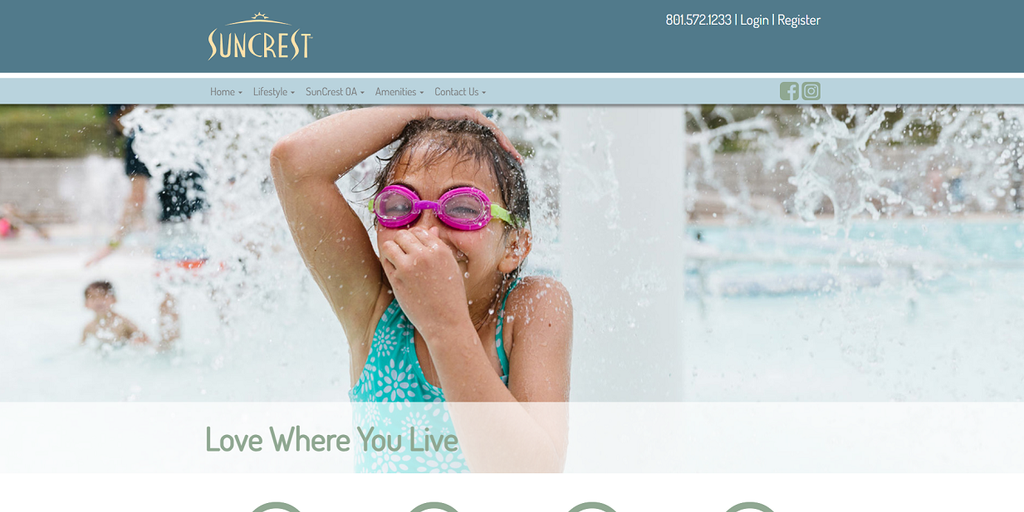
SunCrest Owners Association governs a 3,900-acre master-planned community on a mountain bench above Draper, Utah, making it one of the largest, most actively governed sites here. Like Summerfield, the public site sends residents elsewhere to log in to a platform called Buurt, run by CCMC.

What sets this homepage apart is how it updates current events. When I last checked it, it had three things running at once: a real board election with candidate profiles and a voting deadline, a proposal to lock in a trial RV-parking policy, and a seasonal update on pool hours. And that’s the difference between a site the board governs through and one that just looks presentable.

10. Little Whale Cove
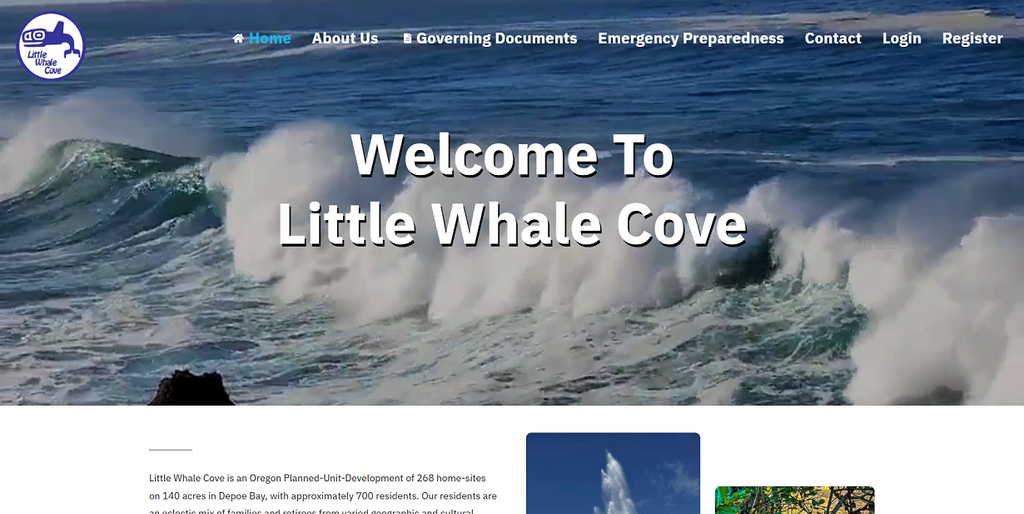
Little Whale Cove occupies 140 acres of volcanic cliffside in Depoe Bay, Oregon, a 268-home community of roughly 700 residents. The site is more about visual ambition. A video plays before a single word of text, followed by professional photography and lifestyle-magazine writing about the ocean and the cliffs. 

The polish doesn’t distract from the fundamentals, though. It has a governing documents page that is easy to find, a standalone Emergency Preparedness section that’s backed by an active Safety Committee, and a news feed that looks current, with 2026 events like a summer happy hour. The site even splits its after-hours line, such as one number for anything that isn’t life-threatening, and 911 for anything that is.

11. Walden Lake Community Association
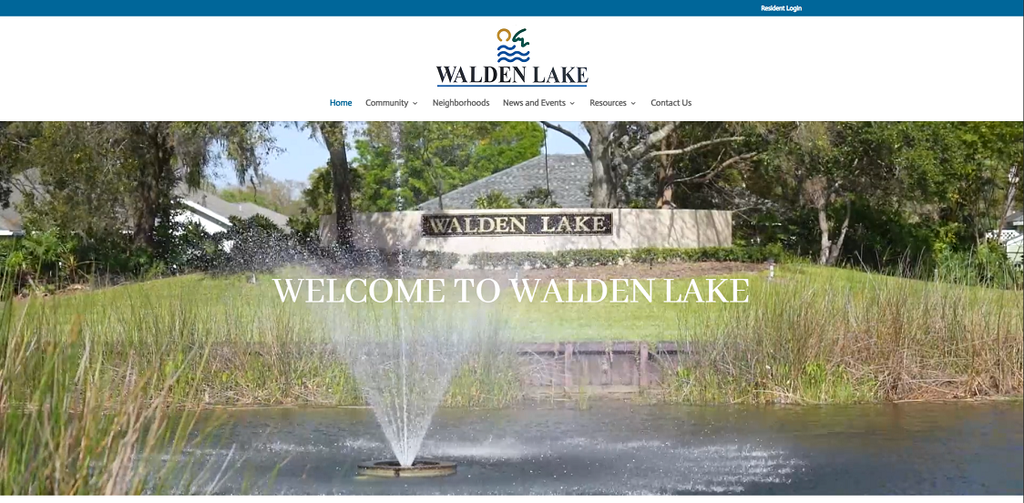
Walden Lake governs one of the largest, most segmented communities on this list: roughly 2,000 acres wrapped around a 62-acre lake, broken into more than thirty named sub-communities. Each gets its own standalone page instead of one shared feed, worth copying if your community has grown into distinct phases, so nobody on one street sifts through updates meant for a neighborhood forty times its size.

Few boards can replicate the governance here, but the idea holds. Under Florida’s Safe Neighborhood Improvement Plan, Walden Lake operates as an official Local Government Neighborhood Improvement District, with sitting City Commissioners on the board funding and managing its gates and guard staff.

The real standout is how the site handles bad news. Its Community News page posts direct updates, hearing dates and case numbers included, on litigation between the developer and the City of Plant City, and the Local Resources page links to police, fire and rescue, utilities, building permits, hurricane tracking, and the county sheriff.

12. Stonegate Country Club
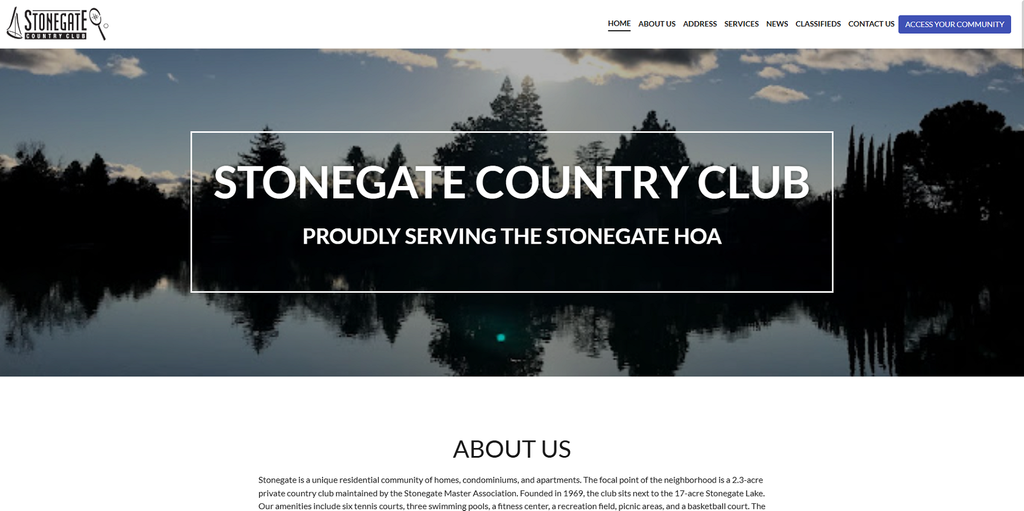
Stonegate Country Club is technically the amenity hub for the Stonegate HOA in Davis, California, and its membership page defines who actually belongs down to the address. Membership covers homeowners on or west of Lake Blvd, plus homes north of Tiber Avenue, specific enough to settle the question without a call to the board. 

The site moves forward and lists the community amenities: six tennis courts, three pools, a fitness center, a recreation field, a basketball court, a dog park, and a 4,000-square-foot clubhouse rented out for weddings and events. The App Store and Google Play buttons sit on the homepage next to the web login, which means there are mobile versions of their digital presence. Their Services section is mid-update, walking members through proposed restated CC&Rs and bylaws. 

Something I didn’t like about the site is the News section that has the newest posts dating back to 2024 and 2021. That’s too old, and even a well-built site runs cold without someone actually posting to it.

13. Aragon Neighborhood Association
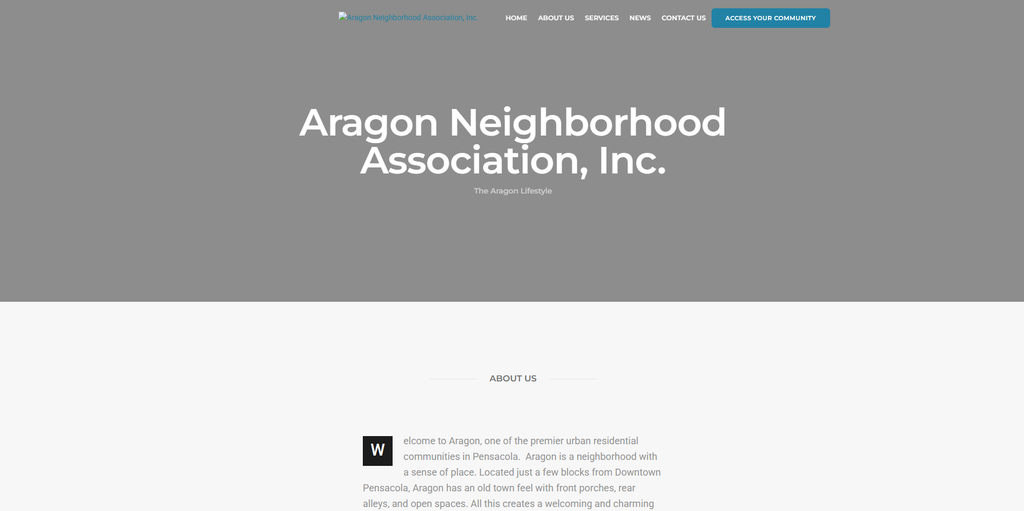
Aragon sits a few blocks from downtown Pensacola, Florida, a small, walkable, urban-infill neighborhood built on a former public housing site torn down in the 1990s and redeveloped in a New Urbanist, front-porch style. Its FAQ page tells that history, and its building guidelines catalog six distinct housing types: townhouses, cottages, park houses, sideyard houses, small cottages, and row houses. That means a resident knows exactly which category their house falls into, not vague language about neighborhood character.

The amenities are just as honest: a monthly book club, assigned plots in a shared community garden, and a linear park along Romana Street. No pool, no clubhouse, just an honest list of what the community actually has.

14. Canaan Woods
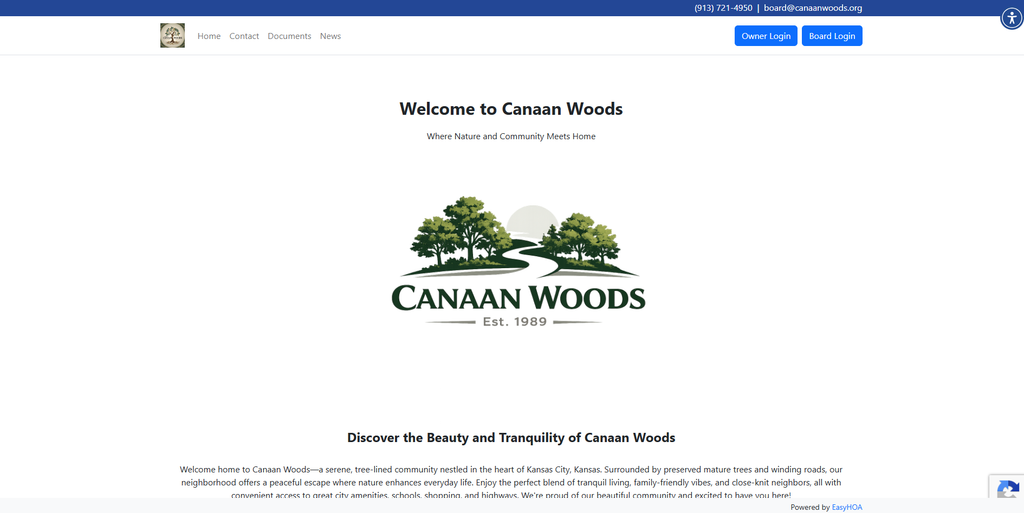
Canaan Woods in Kansas City is proof you don’t have to build a site that does everything. In fact, it’s possibly the leanest site here, with just four navigation items (Home, Contact, Documents, and News) and a homepage built around a short note about preserving the community’s mature trees and winding roads. 

The one choice worth copying regardless of your size is how it handles login. Canaan Woods splits its login into two clearly labeled doors, Owner Login and Board Login, side by side, instead of the more common single sign-in box where board members only discover their extra permissions after logging in. That upfront signal matters for governance: owners know board-level material, like executive session notes and vendor contracts, lives somewhere separate.

Contact routes straight to a board email address rather than a management company, confirming this is self-managed.

15. Beau ChĂŞne Homeowners Association

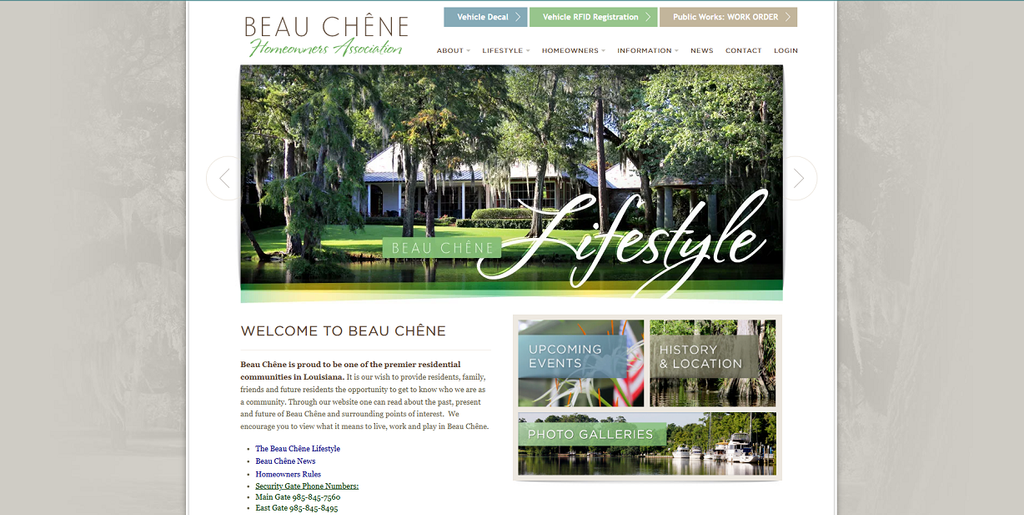
Beau Chêne, a large gated golf-and-marina community in Mandeville, Louisiana, follows a principle every gated or amenity-heavy community should copy: put what residents need constantly ahead of what just looks good. In this site, Vehicle Decal registration, Vehicle RFID Registration, and a Public Works work-order system all sit above the main navigation, well ahead of any tab covering the community’s history, since getting a car through the gate or reporting a broken sprinkler happens far more often than anyone clicks into About Us.

That same access-first thinking runs through the gate information. Instead of one switchboard number, each entry point (Main, East, and Marina) has its own direct line, since the community centers on both a country club and a marina, each with its own set of Lifestyle pages. 

Final thoughts

When copying these website examples, figure out what your owners ask for on repeat, such as documents, online payment options, or ways to reach the board after hours, and build an HOA website that focuses on that. Also, remember that compliance laws in states like Florida and Texas set a floor, not a ceiling. Adding features that even estate laws don’t require, such as online payment portals and maintenance request forms, just makes your HOA management easier, organized, and more transparent. But that’s only achievable when you use a specialized HOA website builder, not just a generic builder. 

HOA website checklist: What you need to get started

{get_the_title()}

HOA website checklist: What you need to get started

Written by: Kim Brown

Published on: June 27, 2025

Is it hard to build an HOA website? Not anymore. If you can drag and drop photos, and come up with a bit of crafty copy, then you can make a website. Honestly.

After helping hundreds of HOAs set up their own professional websites, we can confidently share some tips and best practices with you.  

Our first piece of advice is to plan. The more you and your team can do before website construction begins, the easier and faster the process will be.

Read on to find out what your HOA board will require in order to successfully launch an HOA website.

Table of contents

Why websites are great helpers for HOAs

We’re excited that you want to create a website for your HOA.

More than just an online presence for your community, an HOA website fosters regular engagement and has the potential to streamline administrative tasks. Communities use websites to do things like:

  • Centralize key documents, forms and records
  • Improve communication and reduce print and mailing costs
  • Build and share secure member directories and forums
  • Collect payments
  • Promote community events

With the right platform, an HOA can streamline operations, reduce workloads, and increase owner satisfaction. But all that doesn’t happen by chance. Owners have to want to use the website, and that means building something that caters to their needs and preferences.

Before you build your website: things to discuss with your board

Once you are certain that your community should have a website, we would advise boards to discuss the following things before they get to the publishing stage. While little hiccups might happen, the creation and execution process will be much more enjoyable for everyone if your team knows what it wants and has the correct materials readily available.

Here are the items your board should address ahead of time:

  • What do we want from our website?
  • How much can we afford to pay?
  • What will our domain name be and who will host the site?
  • Will we build the website ourselves or use a company?
  • Do we have quality images to post on the website?
  • How will we let owners know about the website?

What do we want from our website?

Take a bit of time to discuss this point. It will shape the entire design and construction process, so make this decision carefully.  

HOAs use websites primarily for communication and educational purposes. But many sites can also support online payments, amenity bookings, maintenance requests, and event registrations.

Determine if digitizing operations is the right move for your community. Most people will appreciate the added convenience and simplicity.

Don’t forget to create a password-protected section just for owners. This makes it easy to share information, like directories, without making it publicly available.

If you’re not sure what options are available to your HOA, ask a neighboring community that already has a website. Or, reach out to us.

How much can we afford to pay?

Price matters. We get that, which is why we are proud to offer three flexible pricing plans. While we would never recommend using free website builders, your HOA doesn’t need the most expensive option available either.

Your budget will likely dictate whether you take the DIY route or connect with a professional company. DIY sites are great, but you need to ensure someone is willing and able to complete the project.

Hiring a professional can be easier because they do all of the hard work, but you’ll need to shop around before you make a final decision. Companies charge anywhere from $500 to $10,000+, depending on what you need and how skilled the developer is.

 HOA Sites is a bit unique in that we build the foundation for our clients, and they complete the website by adding their own text, images and forms.

What will our domain name be and who will host the site?

A domain name is your website’s online address. Ideally, you will choose your HOA’s name, but be warned, it may already be claimed by another association.

To find out if it’s available, use a free domain name search tool.

Once you’ve got a domain name, you’ll want to decide who will host your website. In order for your site to appear online, you’ll need to work with a host. They ensure it is stored in a web space for visitors to access worldwide. The spaces (servers) can be rented and acquired through a website hosting provider, or built locally.

Many website-building platforms and companies take care of hosting arrangements for you.  

Will we build the website ourselves or use a company?

Decisions, decisions. If your HOA only needs a simple website, or you have someone on the board who has experience creating websites, then your HOA could save money and build the site without professional help.

However, if the thought of creating a site on your own makes you nervous, or if you require more complex functionalities, we suggest hiring help.

Whatever path you choose, you will need to select a template before you move on to the next steps. Simple is always best. Aim for a template that embodies the characteristics of your community.  

Do we have quality images to post on the website?

Someone will have to write the content for your website. That can be a bit challenging, but there are good (and free) writing tools available to help you refine your work.

Perhaps even more important than good website copy is quality photos.

If your photos look distorted, dated, or both, it’s going to have a negative impact on traffic. Plus, you won’t attract any new buyers will low-resolution photos.

If necessary, hire a photographer to capture you’re HOA’s good side.

Once everything comes together and your site is ready to launch, test all links and forms before you make it available to the public.

How will we let owners know about the website?

Once the HOA website is up and running, you’ll need to inform owners about it, and get them to create an account if there is a portal or password-protected section.

Create a small promotional strategy using more than one communication channel. Add a note in the quarterly newsletter, bring it up at the next member meeting, and send out paper letters.

Once early adopters become familiar with the website, you can ask them to share the news with other members via the HOA’s unofficial social media group page.

It’s in your best interest to get owners to sign up because the more they use it, the less information they’ll request from the board or manager.   

Conclusion

By following this website checklist, even HOA boards without much technical expertise can create an amazing platform for their community. An HOA website is a valuable resource that helps connect owners and reduce the workload for management.

Does your HOA website need a refresh? Here’s how to tell

{get_the_title()}

Does your HOA website need a refresh? Here’s how to tell

Written by: Kim Brown

Published on: May 5, 2025

Have you ever rearranged your living room to create a new feel in your home? Or purchased a new outfit to reflect your current image? You do these things to avoid feeling outdated, bored, or even disconnected.

Just like wardrobes and living spaces, HOA websites need to be refreshed from time to time. A refresh is different than a quick update; it involves tackling the things you usually ignore. That could mean deleting pages, improving copy or enhancing the user experience by implementing a new layout.

This may also be a good opportunity to switch platforms altogether or add new functionalities that owners have been asking for.

Table of contents

How often should HOAs refresh their websites?

It’s a fine balance and it really depends on what your current site looks like. You want to keep the essence of your community within the website so that owners are still comfortable using it. However, if your website looks old, feels cluttered, or is operating more slowly than it used to, you’re probably due for a refresh.  

Most websites can last 2-5 years before they need a refresh. A small HOA could probably go a little longer, but you shouldn’t delay the inevitable more than 7 years.

5 signs it’s time for a website refresh

1. User engagement has dropped

If owners are not engaging with content the way they used to, it may be the design or layout. People don’t want to stay on websites that are not aesthetically pleasing. Similarly, if they can’t find what they are looking for, they’re going to stop visiting the site and start directing more requests to staff and management.  

2. Your site is not mobile friendly

Research suggests that over 60% of global website traffic comes from a mobile device. The majority of people prefer to use phones over laptops if they aren’t doing work. That means a lot of your HOA members are trying to find announcements or make a payment from their phone.  

If your site has remained the same for 5 or more years, the mobile experience is not nearly as smooth as it should be. Pages probably take too long to load, and images that are fine on a computer appear blurry or too large on a mobile screen.  

3. Your homepage looks like it belongs to the 90s

If your site looks outdated or doesn’t align with current design trends, it will negatively impact how often people respond to it. This can be particularly harmful when trying to attract qualified buyers.

Website design is always changing, which means your site could actually look a lot older than it really is.

4. The website isn’t secure

Without getting too technical, your website might be lacking relatively standard security features if it is old. SSL, or Secure Sockets Layer, is an encryption-based Internet security protocol. SSL is the predecessor to the modern TLS encryption.

By encrypting any data that travels between a user and a web server, SSL ensures that anyone who intercepts the data can only see a nonsensical collection of characters. This is done to prevent a person’s credit card number or personal information from being stolen while traveling to the end destination.

SSL also stops certain kinds of cyber attacks by authenticating web servers to ensure they aren’t fake.  

A website that implements SSL/TLS has “HTTPS” in its URL instead of just “HTTP.” Hypertext transfer protocol secure (HTTPS) is the secure version of HTTP, which is the primary protocol used to send data between a web browser and a website.

Every website should use HTTPS. Websites that don’t use the secure protocol are flagged by web browsers as not secure. Furthermore, without HTTPS, it is possible for Internet service providers or other intermediaries to add their own content (usually ads) to webpages without the approval of the website owner.

Website hosting providers will offer TLS/SSL certificates for a fee, but the modest price is worth the protection.  

5. The website doesn’t have a password-protected portal

In addition to using HTTPS, HOAs are strongly encouraged to have a password-protected area on their websites. By creating a private space just for owners, associations help keep sensitive information like contracts, budgets and even owner directories away from the general public.

Some states now require HOAs to maintain a website with a password-protected section, but all communities should adopt the practice.  

How much will this cost?

Prices can vary quite a bit depending on how much work is required and how many rounds of revisions are completed. On average, a community could expect to pay between $2,000 to $5,000, but the costs could be less if you have a preexisting agreement with a designer or company.  

Alternatively, the HOA could look at getting an entirely new website. HOA Sites offers packages as low as $599 a year. Not only do HOAs get customized websites, but there are dozens of useful features that come with the site. From amplifying communications to streamlining operations, HOA Sites helps communities save time and money while increasing owner satisfaction.

How to know the refresh has worked

Investing in your website will pay off in the long run. Not only will owners voluntarily use any self-serve features (which in turn lightens the workload for your staff), but you will attract more interested buyers too.

Increased owner engagement

If you notice higher meeting turnouts, more online payments or fewer phone calls, the refreshed website has done its job.

The site is easier to find on Google

A well-designed and optimized website can improve its search engine rankings and visibility. As a result, your HOA website is more visible to the public.

Owners are talking about it

Whether it’s your neighbor or a board member, you hear people talking about how much nicer the website looks. They no longer feel like they have to use a computer to get on the site because the mobile experience is so much better.

You find yourself on the site more often

Maybe you didn’t realize how much the old site was detracting from the user experience, including your own. But now that it’s been updated and is better organized, you are more keen to share information and update records.

Conclusion   

If it has been more than 5 years since your HOA’s website received a refresh, it’s time to make some much-needed changes.

Websites can look dated within a few years because design trends are constantly changing. As a result, engagement can drop (along with its usefulness). A refresh, or change in website development company, can do wonders for your website and your community.  

12 best practices to promote your HOA website  

{get_the_title()}

12 best practices to promote your HOA website  

Written by: Adeel

Published on: January 2, 2025

You’ve invested in and created an amazing HOA website for your community members to attract visitors. The question is now, what can you do to encourage HOA members and visitors to use your website and engage with it.  

That seems like a big challenge, and you may be asking where would you even start?

The great news is that there are some easy steps you can take to promote your HOA Website to your community members and the general public.

Let’s start by understanding why having an HOA website is not enough and why promoting it is good.

Why you need to promote your HOA website   

Your HOA website may have some excellent information and features on it, but there are reasons you’ll still need to promote it in order to get members and visitors to use it.

First, you need to promote your website because sometimes members prefer to:

  • Call the Board or property managers with their questions
  • Receive a paper document mailed to them
  • Avoid technology
  • Ignore getting the information they need for themselves
  • Have others do tasks that they can do themselves.

So, it’s important to get members onboard and familiar with your HOA website at the very start.

Additionally, once you’ve made your investment in an HOA website, you’ll want to make sure members and visitors are using it regularly or it’s a wasted investment. If members just keep doing the same thing as they’ve always done, the benefits of having an HOA website will not be realized.

Finally, the more you promote your HOA website, and members and visitors use it, it will be an effective tool to manage operations going forward for your HOA.

To start promoting your HOA website, let’s examine how HOA members and visitors consume and engage information. 

Push vs. Pull Communication

You can think of it this way, there are two major ways people get information. Something attracts them to the information and/or the information is sent to them.

In other words, there are pull communication strategies you can use where members and visitors seek, request and proactively access information on your HOA website. There are also push communication strategies you can use, where members and visitors are sent communications, and they receive it.

Now, in essence, an HOA website on its own falls into the category of a pull communication tool. Your members and visitors must come to it, actively access it and search it to get the information they want. However, there are also ways to use your website as a push tool to reach out to members and visitors so that they visit your website.

 Let’s explore pull and push strategies to promote your HOA website.  

How you can attract/pull members and visitors to your HOA website

There are many ways to draw members and visitors to your website, especially if they already have some level of interest in visiting it.

Here are some of the best practices you can implement.

  1. Make the best first impression
    When members/visitors are curious they will naturally come to your HOA website, so make sure the first time they come that they are met with a welcoming, attractive home page that is easy to navigate.

    Using a professional HOA website developer, like HOA Sites, is recommended to achieve the professional and welcoming image you need to create with your website at first glance.

  2. Post what’s most important first
    It may be tempting to put as much information on your web pages as possible. However, posting anything and everything on your web pages will overwhelm the reader and turn them off of coming to your website.

    Instead, use the strategy of thinking about what is the most important information you want to put on each web page, and post it first at the top of the page. It could be content or links to other documents. This content is followed by what might be in less demand by members and visitors.

    For example, member community news and announcements should always be the first thing visible on the member-only landing page so members don’t have to go looking for it.

  3. Keep information current
    There’s nothing worse that visiting an HOA website that has dated information, like events that have already taken place or news from last year. Members and visitors need a reason visit your HOA website and keep coming back.

    Make sure your online community calendar is populated with upcoming events, share any news that affects your HOA community as soon as possible on your home page. Visitors to your site will be interested in properties for sale or rent, especially if they are looking to buy, so share that information too so they keep coming back to your site.

  4. Highlight community amenities
    You may assume that HOA members know all there is to know about your community amenities, but the reality is that the majority of HOA members don’t use their community swimming pool, tennis courts, party rooms or club house. This could be for any number of reasons.

    Promote the features of those amenities on your HOA website and let members know they can easily book space at those amenities themselves by using your website’s self-booking amenity feature.  This will encourage members to use what they are already paying for and make it easy for them to book their amenities at their convenience.
  5. Put effort into your “About Us” page
    Take the time to create an interesting “About Us” page, with interesting facts and photos. Over 50 % of people who visit a website, click on the “About Us” page first. This indicates that they really want to understand the “who” is behind this website and feel a sense of connection with your community.

  6. Use other platforms to promote your HOA website  
    If your HOA has a Facebook page or a Twitter page, make sure to post your HOA website link there as well. If you are posting something to your HOA Facebook page, let members know they should visit your website for more information. 

These pull strategies are useful to draw members and visitors to your website and keep them coming back. These methods also work well in combination with push strategies that drive members and visitors to your HOA website. Let’s see what push strategies you can apply.

How you can push/drive members and visitors to your HOA website
It’s quite possible you have great HOA website, but still not get the views you’d like. At this point, you can combine your pull strategies with push ones to persuade members and visitors to engage with your website.

Here are some push strategies you can start right away.
  1. Send surveys
    Online surveys are a feature you can include on your HOA website. You can send a survey to members inquiring about anything that’s of interest to the community. Consider subjects like renovation questions, rules they’d like to see, types of events they’d participate in etc. When you include a link to see results, it will take them to your website.  

  2. Friendly contests and small prizes
    A simple fun contest every quarter will bring people to your website. Maybe have a naming contest for an amenity or a photo contest capturing your HOA grounds and surrounding area. Contests like these engage homeowners and give them a reason to visit your HOA website.

  3. Mass emails and text messages
    When your HOA has an announcement or update of any kind that affects your community, send a short introduction mass text message or email to members, and include a link to your website for more information. Mass emails and text messages alert members to new content on your HOA website quickly and they’ll click the link to see all the details on your website.

4. HOA meeting reminders
When members meet in person for meetings, go over all the great information available to them on your website.  Take that opportunity to remind them they can access:

  • HOA Guiding Documents
  • Invoicing information
  • Self-booking amenity options
  • Online voting
  • Event registration

5. Guest Blogs

Blogs are long-form articles . You can include blogs on your website with topics that are of interest to both members and the community.
For example, if your HOA community is surrounded by nature, you could have someone write an article about the fish native to the water there or medicinal plants that grow in the immediate area. If people are googling topics like these, they will come upon your blog article. When they click on the article it will take them to your website, where your blog is posted. It’s a great way to bring people to your website organically, and in a less obvious way.  

6. Community newsletter
A community newsletter is your opportunity to reach your members and promote your website at the same time. Through your website you can distribute your newsletter that is similarly branded to your website. You can also insert a CTA (call to action) in your newsletter to visit your website to download information you want members to have.  

These outreach efforts or push strategies help drive members and visitors to your website.

Now, let’s take a look at how using these methods will benefit your HOA community.

Top benefits of promoting your HOA website

When you make the effort to promote your HOA website effectively, your HOA community will experience valuable gains.

Engaged community
The more members visit your HOA website, the more they will be involved and interested in what is happening in your community. They will see your HOA website as the place to visit to learn about new developments.

Improved communication
Through your HOA website you can increase communication promptly and accurately, making updates in real time. Your website allows for multiple documents and communications to be accessed in one place.

Increased sales and rentals
When you promote your HOA website through other channels like Facebook or even on other business’s websites, people who normally would not visit your website directly will see your web address and click on it. It’s great exposure for your website.

Save money and time
When you promote your website to members, you won’t have to send them individual paper notices and documents. They will know that their HOA website has all the documents they are looking for, and they can access them online.

Staying in step with technology
When members don’t use your HOA website, they are falling behind with how technology is changing and how shared living communities operate. So, promoting your HOA website will encourage members to embrace it and use it.

Free up time for the Board and property manager
Directing members to your HOA website means you’ll have to deal with fewer repetitive questions. Your Frequently Asked Questions web page will provide the answers they need. Plus, you’ll be relieved from tasks that take up a lot of your time, like booking amenities for members. They’ll know they can go to your HOA website and book it themselves.

It may take some effort to promote your HOA website, but it’s well worth the benefits.

Maximizing visitors to your HOA website

An HOA website is a valuable asset. You may think because your HOA has one, members and visitors will automatically find it and use it. That’s not always the case.

People need prompting and reminding that your HOA website is accessible 24/7 and the information they are interested in can be found there.  Therefore, when it comes to promoting your HOA website you have to take action to help members and visitors engage with it, not just once but repeatedly.

You can do this by combining both pull and push strategies to attract them to your HOA website. It requires some outreach on your part, but the good news is that you will see benefits if you are consistent. You will see a shift whereby your HOA website becomes the central hub for members and visitors to get the information they need.